

| Updated On - Jul 6, 2024
AIIMS B.Sc Nursing Seat Allotment Dates have been released aiimsexams.ac.in. B.Sc Nursing Counselling Date 2024 isJuly 12 for Round 1 andJuly 25 for Round 2. The registration and choice filling window for AIIMS B.Sc Nursing Counselling has begun. The window for choice filling and registration for round 1 will be open fromJuly 5 to July 9 till 5 PM.
Here’s the direct link to login and register for AIIMS B.Sc Nursing Counselling 2024:
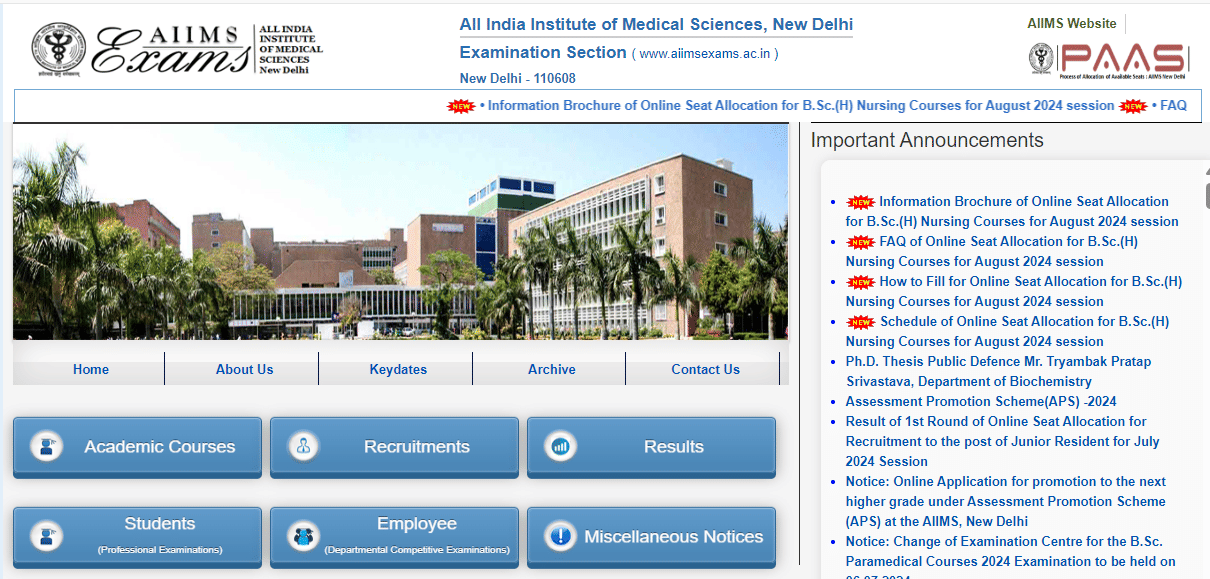
AIIMS B.Sc Nursing Seat Allotment Round 1 Dates
The schedule forAIIMS B.Sc Nursing Seat Allotment released. Refer below for B.Sc Nursing Round 1 Seat Allotment dates:
| Event | Start Date and Time | End Date and Time |
|---|---|---|
| Exercising of Choices (AIIMS) for 1st Round | 05.07.2024 (Friday) | 09.07.2024 up to 05.00 pm (Tuesday) |
| Announcement of seat allocation of 1st Round | 12.07.2024 (Friday) | N/A |
| Online Acceptance of allocated seat | 13.07.2024 (Saturday, 01:00 PM) | 18.07.2024 up to 05.00 PM (Thursday) |
| Submission of Documents/DD at allotted AIIMS | 13.07.2024 (Saturday, 01:00 PM) | 18.07.2024 up to 05.00 PM (Thursday) |
AIIMS B.Sc Nursing Seat Allocation Round 2 Schedule
Refer below for AIIMS B.Sc Nursing Round 2 Dates:
| Event | Start Date and Time | End Date and Time |
|---|---|---|
| Declaration of vacant seat position after 1st Round | 25.07.2024 (Thursday) | N/A |
| Announcement of seat allocation of 2nd Round | 25.07.2024 (Thursday) | N/A |
| Online Acceptance of allocated seat | 26.07.2024, 10.00 am (Friday) | 31.07.2024 up to 05.00 pm (Wednesday) |
| Submission of Documents/DD at allotted AIIMS | 26.07.2024, 10.00 am (Friday) | 31.07.2024 up to 05.00 pm (Wednesday) |
How to Register for AIIMS B.Sc Nursing Counselling 2024?
Here is a step-by-step guide on how to register for AIIMS B.Sc Nursing Counselling 2024:
Step 1: Login using your credentials at the official website of AIIMS B.Sc Nursing (Link provided above)
Step 2: After login, you will find the link to registration for online B.Sc (Hons) Nursing Seat Allocation Process. Click on it to be redirected to the B.Sc Nursing Seat allocation portal.
Step 3: Register and set a new password for the seat allocation portal. This password will be unique only to the seat allocation portal.
Step 4: Login at the seat allocation portal and start filling in your AIIMS Nursing (Hons) seat choices. You can order your choices as per your preference. The choices can only be filled after you register and log in using the new password for the seat allocation portal.
Step 5: Confirm your name, candidate ID. Click on the Make Choice button to start exercising choices for seats.
Step 6: Lock and save your choices before the last date of registration/choice filling. After the deadline, your last selected choices will be locked in automatically. To save your choice, click on ‘’Submit and Lock Choices’ tab and tick the Checkbox to accept the declaration and then click on submit and lock choices. The system will prompt you twice to reconsider your choices, and once you have submitted and locked your choice, you will not be able to change it.
Step 7: View your choices by clicking on ‘View Choices’ after logging in. Click on the print button to take a printout of your choices.
What is AIIMS B.Sc Nursing Counselling Helpline?
If you face any discrepancies during your counselling process then send an email to the Assistant Controller of Examinations at paar.aiims.bscmsc@gmail.com from your registered e-mail id. Mention your registration ID along with clearly mentioning the issue that you are facing for quick responses to your issues. Ensure that you mention your registration ID in the subject line of the E-mail.
*The article might have information for the previous academic years, please refer the official website of the exam.