
Mistakes to Avoid in the NMAT 2026 Registration Process


Content Curator | Updated On - Aug 11, 2026
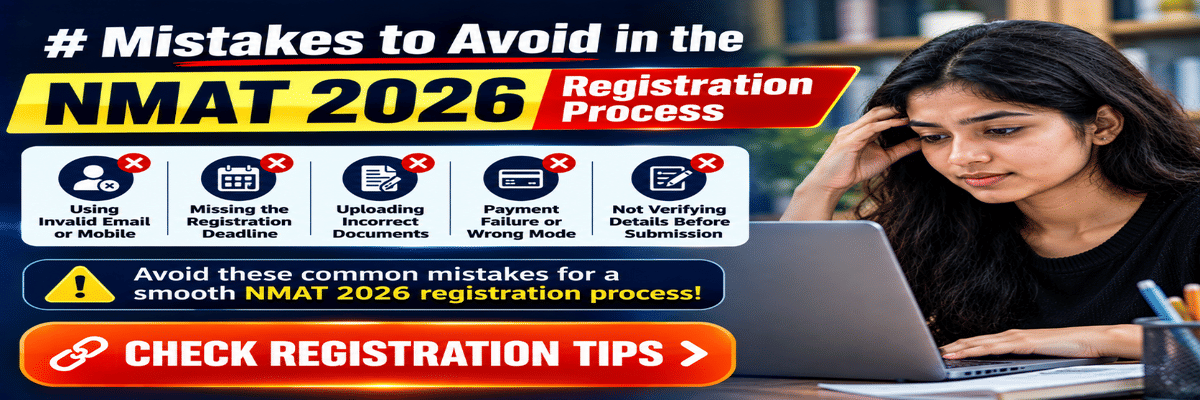
Mistakes in the NMAT registration process can lead to rejection of the NMAT application form. Students should carefully fill out the form only after reading the guidelines carefully and using the academic documents.
- To avoid a name mismatch in the registration, make sure the name matches the government photo ID.
- The JPEG photo size for NMAT 2026 registration is 10-300 KB, with a white background.
- If there is a mistake in name, date of birth, or college names, then Re-Registration Is the Only Option.
Related Article:
Key Summary
|
Common Mistakes While Filling the NMAT 2026 Application Form
NMAT 2026 registration mistakes in personal information are very common. Any mismatch of name or photo will lead to cancellation of the NMAT 2026 registration.
- GMAC will confirm your identity in the NMAT 2026 registration against the government-issued photo ID; thus, make sure the details match the ID taken on the exam day.
- Most common mistakes include uploading a coloured picture or a screenshot of the image.
- Choosing the specific program in NMIMS Mumbai is important, and make sure to confirm your choice.
- No selfie is allowed, and using the correct ink- black- for the signature is advised. Guidelines for picture and signature are given below.
| Requirement | Photo | Signature |
|---|---|---|
| Format | JPEG or JPG only | JPEG or JPG only |
| File size | 10 KB – 300 KB | 10 KB – 80 KB |
| Background | White or off-white only | White only |
| Face requirements | Full face visible; no spectacles; no headgear except religious | Not applicable |
| Recency or medium | Taken within 6 months of registration date | Black or dark ink on white paper; scanned and saved as JPEG |
Source: Official PDF
Mistakes Related to NMAT 2026 Exam City and Scheduling
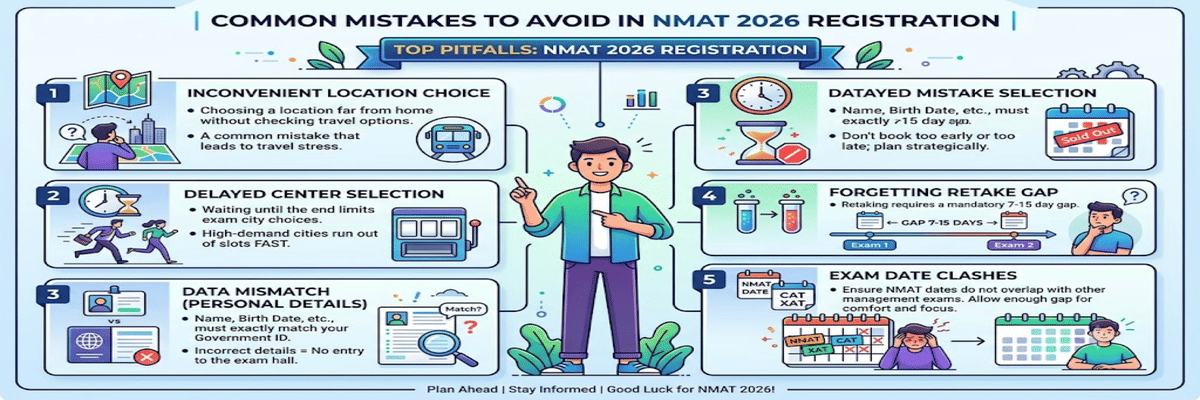
The common mistakes related to the NMAT 2026 exam city and scheduling are waiting till the last date to confirm your slot.
- Location: Choosing a location that is distant from your home without checking the travel options is a common mistake.
- Delayed choice: Delaying your choice and waiting till the end may leave you with no good exam city option. High-demand cities run out of slot options fast.
- Data mismatch: Entering your name, birth details, or any other information not matching the government ID will leave no entry option.
- Retake gap: Do not forget that reattempt takes 7-15 days gap, and thus do not try booking too late or early.
- Exam Clash: Make sure the dates of NMAT 2026 do not clash or have enough gap with other management exams for your comfort.
Payment Errors During NMAT 2026 Registration
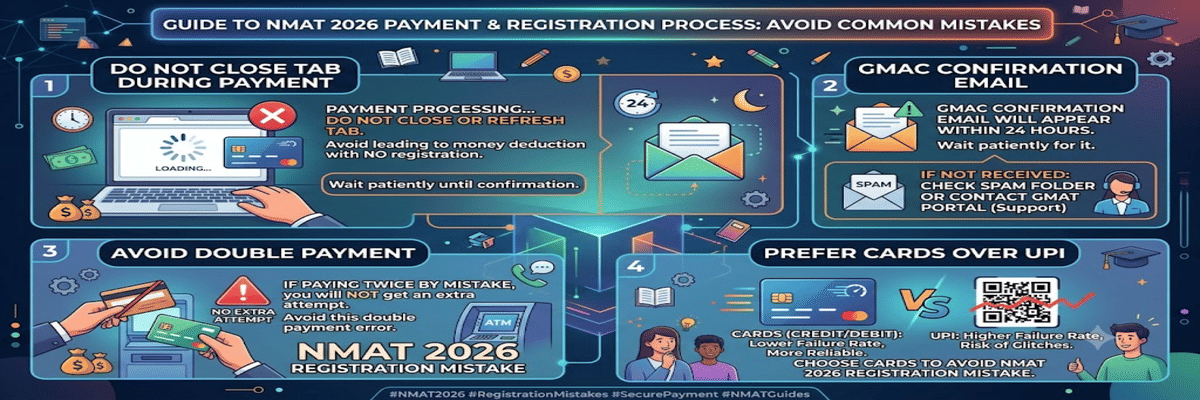
The fee for NMAT 2026 registration is non-refundable under any circumstances. A payment error will result in no registration but a deduction of money.
- At the time of payment being processed, do not close the tab, as it may lead to a deduction but no registration.
- The confirmation email from GMAC will appear in 24 hours; then wait for it. In case you do not get it, check spam or contact the GMAT portal.
- If you pay twice by mistake, you will not get any extra attempt for it. Thus, contact the portal and make sure to avoid this NMAT 2026 registration mistake.
- UPI usually has a higher rate of failure; thus, using cards is a better choice to avoid any NMAT 2026 registration mistake.
Deadline-Related Mistakes in NMAT 2026 Registration
Registration starts from August 20 till 10 October, and exam dates are November 2 to December 20.
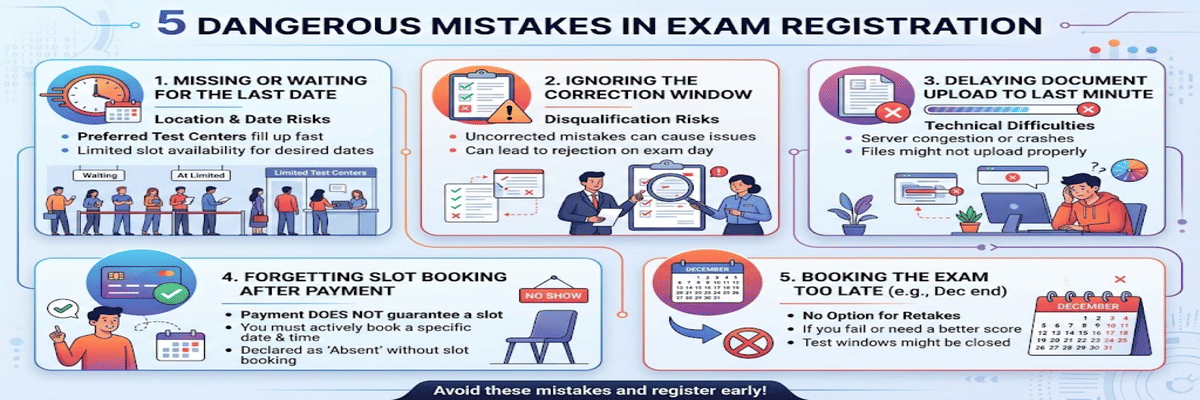
- Missing the Last Date for Registration or waiting till the last date can be dangerous for location choices and the exam date.
- Ignoring the Correction Window Deadline will lead to no good and can lead to disqualification during the exam if any mistakes have been made.
- Delaying Document Upload Till the Last Minute may not be a good idea.
- Forgetting to book a slot after the payment is processed will be declared a NO SHOW.
- Booking the exam too late or at the end of December will leave you with no option of retakes.
How to Correct Mistakes After NMAT 2026 Registration
Spend 10-15 minutes checking the form before submission. You cannot edit after the payment is done.
- Downloading or saving the Confirmation Page is important for future use.
- Do not ignore any Email or SMS Verification from the GMAT during registration or after for official notification.
- Make sure to contact or email the helpdesk or support if any mistakes occur in the form.
- Cross-checking the Final Submitted Form can be a major drawback if any mistakes have been made; thus, check the details below.
| Check | What to Verify |
|---|---|
| Name | Match with government-issued photo ID, including middle name. |
| Date of birth | Match your Class 10 certificate for details and photo ID |
| Email and phone | Active, accessible, and gets OTPs |
| Photo | JPEG, white background, correct size, taken within 6 months |
| Signature | JPEG, white background, black ink, scanned from paper, correct size |
| Programme selection | Correct campus and programme name; NMIMS campus specified with course |
| ID document declared | The document you will carry to the test centre; confirm its validity. |
| Payment status | Confirm email received; registration status shows as Registered on mba.com |
| Exam scheduled | Slot booked on Pearson VUE; appointment confirmation and save it |
NMAT 2026 Registration Checklist to Avoid Errors
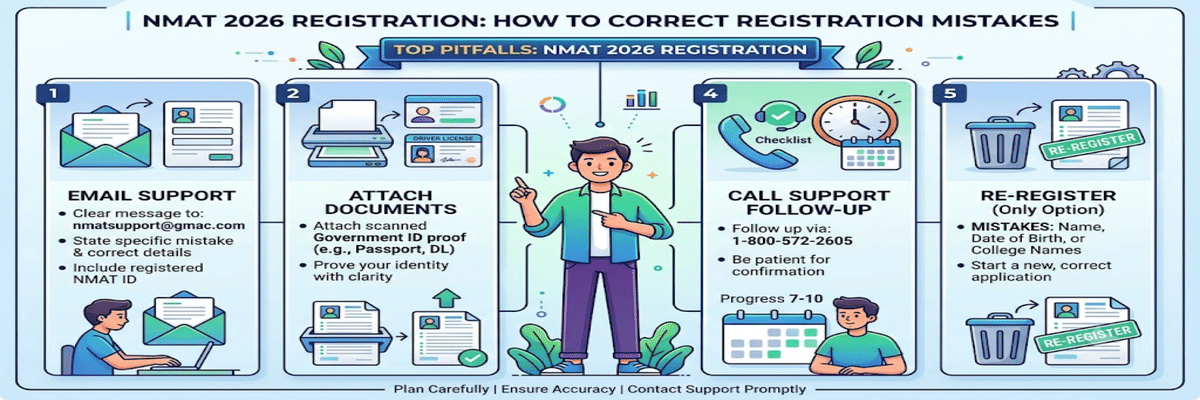
During the NMAT 2026 Correction Window, certain categories like category, language, educational details, work, and some additional details can be edited. The Steps to Raise a Request with NMIMS Support/Helpdesk-
- Email: Write a clear message to nmatsupport@gmac.com, noting the mistake, correct details, and your registered NMAT ID.
- Attach documents: You will need to attach a scanned government ID proof to prove your identity in the email.
- Call support: Follow up with a toll-free number: 1-800-572-2605, making sure the correction ticket is processed.
- Allow time: Correction and any update will take 7-10 working days, so be patient.
- Reregister: If there is a mistake in name, date of birth, or college names, then Re-Registration Is the Only Option.
Source: Official Site
FAQs
Ques. Can I edit my NMAT 2026 application after submission?
Ans. Yes, only data sharing and communication details can be edited. But you cannot freely edit the NMAT application after submission. You cannot change your name, date of birth, or college choice. But in case there are minor errors, or if you want to change your exam date and slot, you can contact the GMAT helpdesk or support.
Ques. What happens if I select the wrong exam city?
Ans. Selecting any wrong city means having to travel to the location or having to wait for the application correction. You can fix it by rescheduling the exam available on the dashboard by paying the fee, subject to seat availability. You will only be able to change the city up to 72 hours before your exam time.
Ques. Is there a correction window for NMAT 2026?
Ans. Yes, there is an active correction window for NMAT 2026 to edit certain mistakes. General profile details, photo size, and slots can be altered. But name and date of birth cannot be changed. You have to log in to the portal nd select Edit Application to proceed further.
Ques. What if my payment fails but the amount is deducted?
Ans. If the payment fails and amount is deducted, you will have to wait for 5-7 days for a bank revert. Do not pay again if you have time for new registration and contact the helpdesk only if money is not returned. Keep on checking the payment status in the portal every 28-48 hours. Keep the bank debit statement safe with you.
Ques. Can I register for NMAT 2026 more than once?
Ans. No, you can register more than once for NMAT 2026. Candidates have to register only once for the main exam and any number of times for the 2 other retakes. You will have only one registration number per session. You must use the original account itself for paying the fees for the retake exam. Creating a duplicate account will lead to rejection.
*The article might have information for the previous academic years, please refer the official website of the exam.